FREE SAMPLE
Chapter 1: The Pile
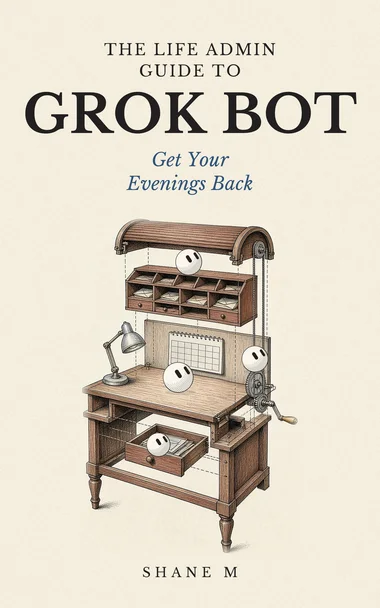
Everyone has a pile.
It's not a physical pile, though it might include one. It's the list of small jobs that run underneath your life. Book the dentist. Renew the car insurance. Find out why the phone bill went up. Return the shoes. Call the bank. Compare internet plans. Look at that house listing your partner sent. Answer the email from the school. Figure out why you're getting six spam calls a day.
None of these jobs is hard. That's the trouble. Because they're not hard, they never feel urgent. Because they're never urgent, they pile up. And the pile sits on you, quietly, all the time.
This book is about handing that pile to a few Grok Bots, one job at a time, and getting your evenings back.
If you've read my first book, The Ultimate Starters Guide to Grok Bot for Beginners, you know how to set up a bot, connect your email and put a job on a schedule. If you haven't, I'll explain each idea as it comes up. This book is narrower and more practical. Everyday life, done properly.
What life admin is
Life admin is the paperwork and errands of running your own life and household. It usually falls into a few areas:
- Time: your calendar, appointments, reminders.
- Health: booking, refills, insurance forms, records.
- Money: bills, subscriptions, budgets, investments.
- Home: repairs, utilities, moving, house hunting.
- Stuff: shopping, returns, selling things you don't need.
- Privacy: spam calls, junk mail, data about you floating around online.
- Errands: bookings, deliveries, the small jobs that eat a Saturday.
We'll cover each of these, one chapter at a time.
Why it's so draining
I think life admin drains people for three reasons.
It's endless. You never finish. There's always another bill, another renewal, another form.
It's scattered. One job needs your email, another a website, another a phone call, another a document you can't find.
And it's in your head. Even when you're not doing it, you're remembering it. That background worry takes more out of you than the jobs themselves.
A bot can help with all three. It can do the repetitive parts. It can pull the scattered bits together. And it can hold the list, so you don't have to.
TIP: Before you go further, write your pile down. Every life admin job you can think of, big and small. It'll be long. That's fine. We'll use it in Chapter 12.
What a bot is
A Grok Bot is an AI helper you give a job to. You describe the job in plain words, connect it to the apps it needs, like your email or your calendar, and it does the work and reports back. It can work on a schedule. You can have more than one, each with its own job.
For life admin, that might mean a scheduling bot that keeps your calendar tidy. A shopping bot that compares prices. A money bot that watches your bills and tells you about anything odd. And so on.
Two piles, again
Here's the key idea. Sort your life admin into two piles.
The first pile is decisions. Which house to buy. Whether to take a job. What to say to your doctor. Whether a price is worth it. These are yours. A bot can bring you information, but it doesn't decide.
The second pile is the legwork. Finding the information. Filling in the form. Comparing the prices. Drafting the email. Remembering the deadline. That's the pile a bot can take.
Most of life admin, it turns out, is legwork wrapped around a small decision. Renewing car insurance is an hour of comparing and a minute of choosing. A bot can take the hour.
The habit that keeps you safe
Every book in this series comes back to one rule.
The bot makes a list or a draft. You check it. Then it acts.
For life admin, this matters because so much of it touches your money, your health, your home and your private information. A bot that books the wrong appointment, sends a message you didn't mean or buys something you didn't want can cause a real mess.
So in this book, anything that spends money, signs or agrees to something, contacts another person or shares your private information comes to you first. Grok Bot lets you set Ask first rules that make a bot stop and wait for your yes before certain actions. We'll set those up in the next chapter.
WATCH OUT: Never type a password into a chat with a bot. When a bot needs you to sign in somewhere, you type the password yourself on the sign-in page. My first book explains how.
Not advice
This book touches health, money, housing and legal paperwork. I'm not a doctor, a financial adviser, a real estate agent or a lawyer. Nothing here is medical, financial, legal or real estate advice.
What I'll show you is how a bot can do the legwork, so you can make better decisions with the right people. Where rules matter, I'll point out where they differ between the US and Canada, and flag where you should check the official source.
Meet the household
To keep things concrete, we'll follow one made-up household. They're not anyone real.
Let's call them the Parks. Two adults with full-time jobs, one kid in school, an old car they want to sell and a rented apartment they're hoping to swap for a small house. One of them has a regular prescription. Both get far too many spam calls. Neither has looked at their subscriptions in two years.
Every week, the pile grows. Every weekend, some of it gets done and some doesn't. By the end of the book, the Parks will have a few bots, each with one job, and a weekly rhythm where most of the legwork happens without them.
Swap in your own life as you read.
How the book is laid out
Chapter 2 starts with your calendar, because everything else hangs off it. Chapter 3 covers health admin. Chapter 4 is shopping. Chapter 5 is house hunting. Chapter 6 is selling a car. Chapter 7 cuts down spam calls. Chapter 8 keeps an eye on your money. Chapter 9 covers everyday errands and bookings. Chapter 10 puts it all on a schedule. Chapter 11 is about privacy and staying in charge. Chapter 12 is a plan for your first weekend.
You don't have to do all of it. Most people get a lot from two or three bots. Take what helps.
A worked example: a week at the Parks', before the bots
Here's a typical week for the Parks before any bots. It's made up, but you'll probably recognize bits of it.
Monday: a school email mentions a permission slip. Nobody writes it down. Tuesday: four spam calls, one during a work meeting. Wednesday: the phone bill arrives, higher than usual. Nobody looks at why. Thursday: the permission slip is due tomorrow. Found at 10 PM, printed, signed. Friday: a new house listing looks good, but by the time anyone calls on Saturday, there are already three offers. Saturday: two hours comparing vacuum cleaners online, then no decision. Sunday: realize the prescription runs out Tuesday, and the pharmacy is closed.
None of these jobs is big. Together, they take the week. And the worst part isn't the time. It's the background feeling that something's always about to be forgotten.
We'll come back to this week in Chapter 12.
A prompt to start your list
"Help me list all the life admin in my household. Ask me about: appointments and calendars, health, money and bills, subscriptions, the home, the car, shopping, school or kids, pets, government paperwork and privacy. For each area, ask what I keep forgetting, what I put off and what annoys me most. Then give me the full list grouped by area."
Answering the questions takes about twenty minutes. The list it gives you is usually longer than you'd expect, and that's fine.
How long this takes to set up
The first bot takes an evening to set up and a week or so to trust. Each one after that is faster. The time saving usually shows up after a few weeks, as fewer things fall through the cracks. If you're expecting the whole pile gone by Monday, you'll be disappointed. If you're expecting fewer 10 PM panics by the end of the month, that's realistic for a lot of people.
A worked example: the first month, week by week
Here's how the Parks' first month went, as a realistic pace.
Week 1. They set up the scheduling bot and the Ask first rules, and tidied the calendar.
Week 2. They added the morning brief. It was too long at first. They cut it down.
Week 3. They forwarded a month of school and bill emails and let the bot pull out every date. Six reminders they'd never have set up came out of it.
Week 4. They did a subscription audit with the money bot and cancelled two things they'd forgotten about.
One bot did most of the work that month. The others came later. That's normal.
Questions people ask
Do I need to be good with technology? No. You need to be able to say what you want in plain words and read what comes back. If you can write a text message, you can describe a job to a bot.
Is this safe? It can be, if you set it up carefully. The habit in this book, list first, you check, then it acts, is the main safeguard. Chapter 11 goes into privacy in detail.
What if I live alone? Everything in this book works for one person. In some ways it helps more, because there's nobody to share the pile with.
A few words from this chapter
- Life admin: the paperwork and errands of running your life and household.
- Legwork: the finding, comparing, filling in and remembering around a decision.
- Draft: a version of something ready for you to check, not yet sent or done.
- Ask first rule: a setting that makes a bot stop and wait for your yes before certain actions.
What's next
Your calendar is where most life admin starts and ends. Next chapter, we hand it to a bot.

Ebook bundle
Get all three special guides
The Creator's Guide, The Side Hustle Guide and The Life Admin Guide to Grok Bot.
Digital only: PDF + EPUB.
$14.99 $20.97 USD, save $5.98 vs buying separately